Dine-in ordering that doesn't make you install anything.
A dine-in ordering system lets restaurant customers place their order from a QR code at their own table, on their own phone. Orderzy is the Indian dine-in ordering system built free for restaurants. Sit down, scan the QR, browse the live menu, order at your own pace, pay when you're ready. No app, no sign-up, no waiter chasing.
Kulhadwala Restaurant
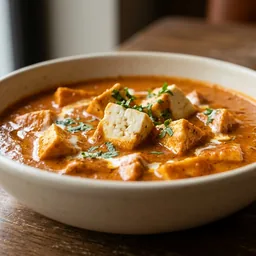
Paneer Butter Masala
Simmered in tomato-cashew gravy, kissed with cream
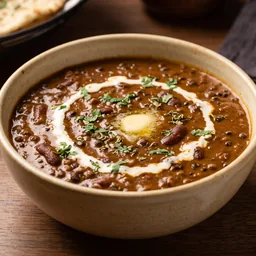
Dal Makhani
Slow-cooked black lentils, butter, and cream
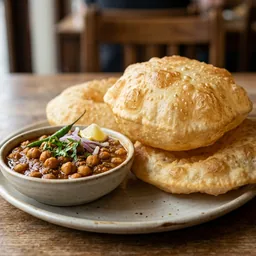
Chhole Bhature
Chickpeas in warm masala with a fresh puffed bhatura
Three seconds from table to menu. Zero from menu to kitchen.
You've just sat down. The waiter is busy. You're hungry. Here's what happens on Orderzy.
You scan the QR on your table.
Open your camera, point at the QR, tap the link. The menu opens in your browser. No download, no signup, no OTP.
You add what you want, one by one.
Browse the live menu. Real photos, real prices, real availability. Add items at your own pace. Change your mind. Nobody rushing you.
You pay when you're ready.
UPI, card, or ask the server for cash. Pay per order or one combined bill at meal's end, depending on how your restaurant runs. Your bill is already itemised.
Three things we deliberately didn't build.
A decent dine-in experience doesn't need friction. We stripped every step that would slow you down at the table. This is how ordering works at Kulhadwala Restaurant in Chhatarpur and Angaraa Rooftop in Indore today.
No app install
Works in your phone's browser. You don't install anything, grant anything, or sign up for a loyalty program you'll forget about.
No account signup to order
Scan, order, done. If you want to track past orders, you can optionally create a quick account. Otherwise you stay a guest forever.
No third-party delivery fee
Orderzy is not a delivery platform. We don't take aggregator-style commissions on your meal. Your restaurant keeps what your restaurant earned.
What happens when I scan the QR.
Do I need to download an app?
Do I need to create an account before ordering?
Can I see what I ordered before paying?
Can I still pay cash?
Is Orderzy a delivery app?
What if the restaurant uses pay-at-end?
Next time you scan a table QR, it might be Orderzy.
Find a restaurant near you, or tell your favourite local spot to put a QR on every table. Either one works.